
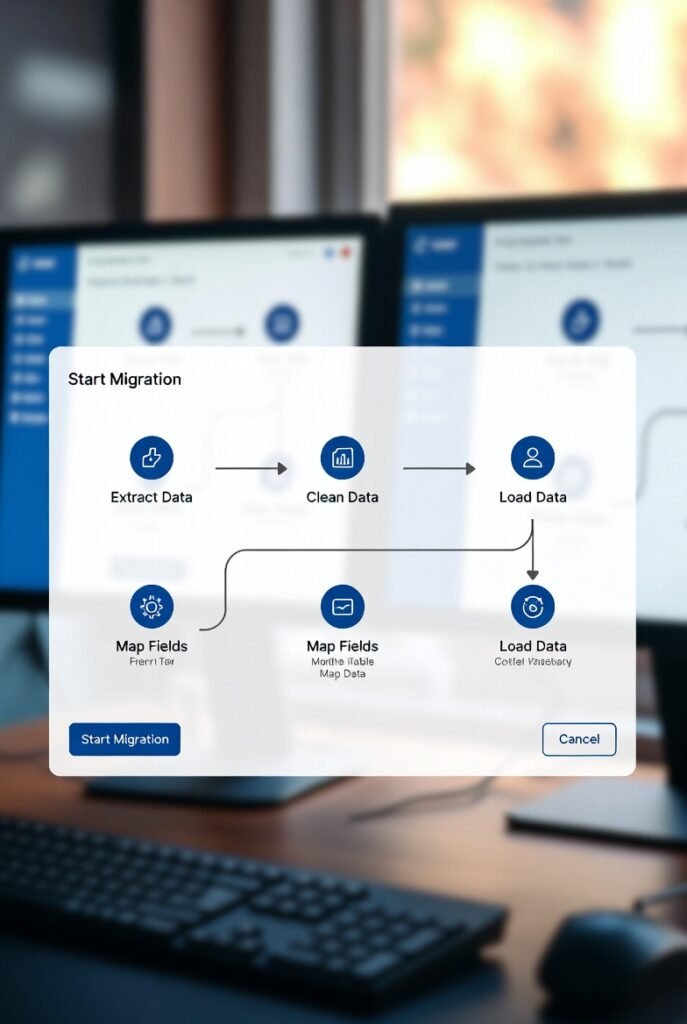

CRM Data Migration Process for SMBs & Service Teams
Introduction
Most SMB CRM migrations fail for one simple reason: the team loses trust. This doesn’t happen because the import button is hard. It happens because after migration, records look wrong, owners are missing, stages don’t match reality, automations misfire, and reporting becomes questionable.
This guide explains a practical, vendor-neutral CRM data migration process for SMBs and service teams. It focuses on the sequence that protects trust: audit, clean, map, test, validate, cut over, and hypercare.
Scope Clarification (KFCSC Separation)
This page covers moving data safely, including migration, cutover, and hypercare.
For ongoing post–go-live rules such as duplicates, naming standards, and field discipline, use a separate CRM Data Hygiene Checklist.
Because import limits, property types, and association rules vary by platform, always verify your CRM’s import order, field constraints, and dedupe or merge behavior. Platforms like Salesforce and HubSpot both emphasize cleaning data and mapping fields carefully before importing.
What “Success” Looks Like After Migration
A CRM data migration is successful when:
- Contacts, companies, and deals are linked correctly
- Every record that needs an owner has one
- Required fields are filled
- Pipeline stage values map cleanly
- Duplicates do not spike after cutover
- The team can work without spreadsheets
- Dashboards are directionally correct (perfection comes later)
Migration Success Targets (Trackable)
Use these indicators to measure adoption without inventing results:
- Unassigned leads: 0 after cutover
- Deals missing owner: 0
- Deals missing Next Step Date:
- Less than 10% by Day 14
- Less than 5% by Day 30
- Stage aging violations: trending down by Day 30
- Import errors: near zero after mapping and test import
The 8-Step CRM Data Migration Flow
- Export data
- Audit the data
- Clean and standardize
- Define ID strategy
- Map fields
- Run test import
- Full import and cutover
- Hypercare period
Rule: No test import means no go-live.
Printable CRM Migration Run Sheet
Use this as a one-page execution checklist:
- Define migration scope (objects, history depth, exclusions)
- Decide source of truth for each object
- Export all data sources (CRM, spreadsheets, forms)
- Audit duplicates, missing owners, missing stages, invalid formats
- Choose and apply dedupe or merge rules
- Standardize email, phone, date, and naming formats
- Create unique IDs (email, domain, or external IDs)
- Build a field mapping sheet (old fields → new CRM fields)
- Normalize dropdown values (stages, sources, lost reasons)
- Create a test batch (100–500 mixed records)
- Import data in the correct object order
- Validate associations, owners, stages, and required fields
- Fix mapping errors and repeat test import if needed
- Run full import plus final delta import
- Cut over: old system read-only, new system is source of truth
- Run hypercare daily for 7–14 days
Operator Proof Blocks
Operator Truth #1: Split-Brain Kills Adoption
If a team updates two systems at the same time (old CRM plus new CRM, or CRM project plan), data becomes contradictory and adoption drops quickly. A clean cutover is critical. Choose one system as the source of truth and make the old one read-only.
Operator Truth #2: Mapping Beats Cleaning
You can have clean data and still fail if field mapping is wrong. A clean lead source mapped into the wrong field breaks reporting and automation. Mapping must be treated as a first-class deliverable, not a last-minute step.
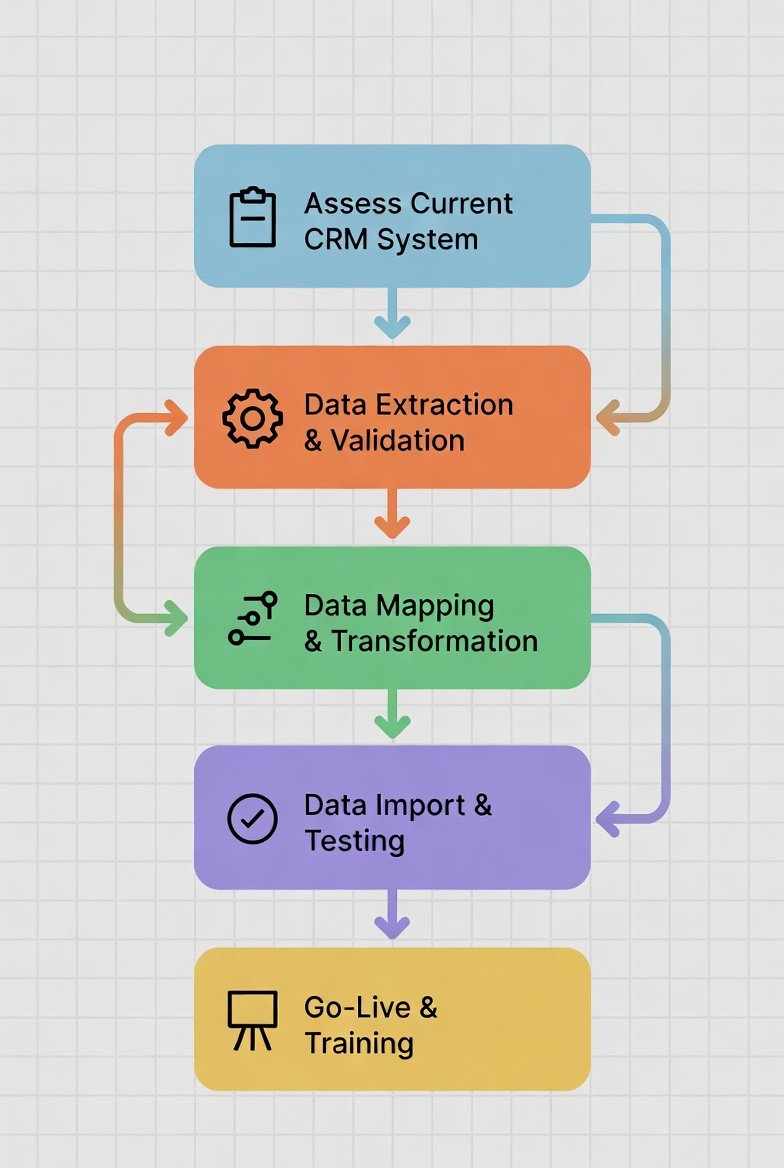
Phase 0: Decide Scope Before Touching Data
Step 1: Choose What to Migrate
Common objects include contacts, companies or accounts, deals or opportunities, and custom fields. Activities, tasks, and attachments are optional and often skipped unless required.
Rule: Migrating everything “just because” is how new CRMs become old junk on day one.
Step 2: Decide History Depth
Choose one approach:
- Open deals and active customers only (fastest)
- Last 3–6 months of activity (practical)
- 12–24 months of history (heavy)
Step 3: Decide Your Source of Truth
If multiple sources conflict, define which one wins before importing. Otherwise, contradictions are imported directly into the new CRM.
Phase 1: Data Audit (Find the Landmines)
Audit the data for:
- Duplicate contact emails
- Duplicate company domains or names
- Missing owners
- Missing pipeline stages
- Inconsistent lead source values
- Invalid phone or date formats
Phase 2: Cleanup (Prevent the Week-2 Crisis)
Step 5: Set Dedupe Rules
Typical SMB rules include using email as the contact key and domain as the company key, keeping the record with the most recent activity and most complete data.
Step 6: Standardize Formats
Emails should be lowercase, phone numbers consistent, dates standardized, and dropdown values normalized to a single allowed list.
Step 7: Fill Owners and Required Fields
Never plan to “fix owners later.” Missing owners immediately break automation and reporting.
Phase 3: Unique ID Strategy
To prevent duplicate explosions and broken associations, define stable identifiers:
- Contacts: email
- Companies: domain (or external company ID)
- Deals: external deal ID or generated key
Company name alone is not a stable identifier.
Phase 4: Field Mapping
Field mapping ensures data is usable after import. Map each old field to the correct new CRM field, including object type, data type, required status, and transformation rules. Salesforce and other CRM platforms emphasize this step as critical to successful imports.
Phase 5: Correct Import Order
Import data in this order:
- Users or owners
- Companies or accounts
- Contacts
- Deals
- Activities or tasks (optional)
Phase 6: Test Import (Non-Negotiable)
Create a test batch of 100–500 records, including messy data, duplicates, active deals, and customers.
Validate the test import by checking owners, stages, required fields, associations, dedupe behavior, dashboards, automation behavior, date formats, and whether pilot users can work without spreadsheets.
Proceed only if all checks pass.
Phase 7: Full Import and Safe Cutover
After a successful test import, run the full import and a final delta import for last-minute updates.
At cutover, setup the old system to read-only, route all new leads into the new CRM, and assign one migration owner and one support channel for the transition period.
Phase 8: Hypercare (7–14 Days)
During hypercare, run daily checks for unassigned leads, missing owners, missing next steps, duplicate spikes, automation errors, and stage aging issues. Fix problems the same day to protect trust.
Common Import Errors and Fixes
Typical issues include missing users, invalid date formats, missing required fields, duplicate contacts or companies, broken associations, and invalid dropdown values. These are usually fixed by correcting mapping, enforcing unique keys, standardizing values, and re-importing affected records.
Simple Rollback Plan
Keep the old system read-only for 14–30 days, preserve export snapshots, document mapping versions, and re-import affected subsets if needed. A rollback plan is about control, not panic.
FAQs
How long does CRM data migration take for an SMB?
Most SMB migrations take one to three weeks when scope is tight and data is reasonably clean.
What is the most common reason migrations fail?
Split-brain systems and lost trust caused by wrong owners, broken links, and duplicates.
Do we need to migrate activity history?
Not always. Many teams migrate only active accounts and open deals.
Conclusion
CRM migration is not just export and import. It is trust engineering based on stable IDs, correct mapping, test imports, clean cutover, and disciplined hypercare.
One-line decision matrix:
Best overall: ID strategy plus test import and clean cutover
Best premium: selective history and deeper integrations after stability
Best for speed: migrate active accounts and open deals first